

PalmBox
by PalmVisa Information Technology Co. Ltd.
A tool that uses your own palm print to safeguard your private information

PalmBox
Comparing with other biometrics features, palm print carries far more information, is harder to be copied or stolen and therefore is by far safer, and easier to be used as personal ID authentication scheme.Everyone needs privacy.
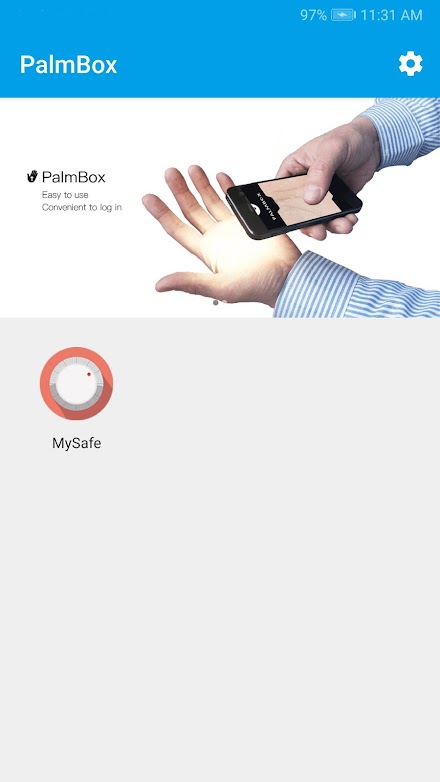
PalmBox is designed to fulfill this need in an easy, fun, yet safe way: you don’t need to remember any password, no need for any keyboard or key pads of any sort, just your own palm & your phone.
That’s the beauty of PalmBox!On the other hand, there are multiple technical innovations & patents behind such simple no-brainer operation of PalmBox.PalmBox helps users store, manage and safeguard their private information with ease.
Its operation consists of two parts:I.
Palm Print ID Authentication1.
There are two ways to verify your palm print: Tap-shot or Scan 2.
Position your palm about 3 inches away from the back camera, follow the instruction and the palm print sketch showing on the screen3.
It will not affect the outcome even if you rotate your palm one way or another4.
Open your palm in a natural or comfortable position5.
Sampling process works in various lighting (dark or bright)6.
Security Q&A is the backup way to enter PalmBoxII.
Private information management.
PalmBox offers an easy and straightforward user interface and interaction.
It includes: 1.
Two private information record types: Folders and individual entries2.
Operations including adding, deleting & moving entries around and adjusting entry content space & capacity at demand3.
User-friendly entry template 4.
Automatic password generation with flexible security–level that users can easily controlNow, you can use PalmBox to protect all your private information and manage it with ease!
Enjoy.
PalmBox is for everyone.If you have any comments or suggestions, please contact us via [email protected] is supported.
You may need storage permission to use it.
About PalmBox
- Package name (App ID)
- com.palmbox.android
- Available on
- Google Play
- Price
- Free
- Version
- v2.0.52
- Updated
- September 30, 2019
- Developer
- PalmVisa Information Technology Co. Ltd.
Looking for the PalmBox APK?
The safest way to get PalmBox (com.palmbox.android) on your Android device is to install it directly from Google Play — you'll always get the latest official version, automatic updates, and no risk of modified or infected APK files from third-party sites.

Social Features
Connect and share with friends and the community.
Camera Features
Advanced camera features with editing capabilities.
Weather Features
Get accurate weather forecasts and real-time updates.
See PalmBox in Action


What Our Users Say
Don't just take our word for it. Here's what our users have to say about this Android app.
"Could lock it after scanning my thumb. But access was denied after scanning same thumb😭"
"This app is ridiculous don't work at all.."
"Total Fraud nothing else..."
"Very good"
Frequently Asked Questions
Is PalmBox free?
Yes, PalmBox is free to download and install on Android through Google Play.
How do I install PalmBox on Android?
Open Google Play on your Android phone or tablet, search for PalmBox by PalmVisa Information Technology Co. Ltd. or tap the Google Play button on this page, then tap Install. The app downloads and installs automatically.
What is com.palmbox.android?
com.palmbox.android is the App ID (package name) of PalmBox on Google Play. Every Android app has a unique package name, and it is the safest way to verify you are installing the official app.
Is PalmBox safe to download?
Installing PalmBox from Google Play is the safest option: you get the official version published by PalmVisa Information Technology Co. Ltd., verified by Google Play Protect, with automatic updates. Avoid APK files from unofficial third-party sites.
Get PalmBox Today
PalmBox for Android — free download on Google Play.
Compatible with Android phones and tablets — available on Google Play.
Ask AI about this app
Get instant answers about features, tips and more from popular AI assistants.